
Every veneer case that reaches a dental lab starts as a digital file. The format of that file-STL, PLY, or OBJ-determines what information travels with the scan data, how smoothly it moves through CAD/CAM software, and ultimately how closely the finished veneer matches the clinical intent. Picking the wrong one does not necessarily crash the workflow outright, but it can quietly strip away data the lab needs for shade mapping, margin verification, and aesthetic characterization.
Understanding the differences between these three dental scan file formats helps dentists and dental laboratories choose the right data for each case and maintain a more reliable digital veneer workflow.
What STL, PLY, and OBJ Files Contain
STL (Stereolithography)
STL is the oldest and most widely adopted 3D mesh format in dental manufacturing. Developed by 3D Systems in 1987 for stereolithography apparatus (SLA) printing, it describes a three-dimensional surface purely through triangle facets-each defined by three vertices and a normal vector. The format carries no color, no texture, no material metadata, and no units. It comes in two encodings: ASCII (human-readable but roughly four to five times larger) and binary (compact, the default for clinical use). A single anterior veneer preparation arch scanned at high resolution can produce a binary STL of 15–50 MB depending on triangle count.
STL is the de facto interchange standard across dental CAD/CAM. Major intraoral scanners-including 3Shape TRIOS, iTero, CEREC, and Medit systems-can export it, and widely used dental design software supports STL import. That universality is its single greatest strength, making STL files for dental veneers a reliable choice for geometry-based workflows. For more detailed information on file quality and case submission, see our guide to STL files for dental labs.
PLY (Polygon File Format)
PLY, also called the Stanford Triangle Format, originated at the Stanford Graphics Lab for storing 3D scan data. Unlike STL, PLY supports per-vertex attributes: color (RGB), transparency, confidence values, and normals. It offers both ASCII and binary encodings, with binary being the practical choice for dental work. When an intraoral scanner captures true-color imagery of prepared teeth and surrounding gingiva, PLY can preserve those color values alongside the geometry.
This matters for veneer cases. Shade information, gingival tone, and enamel translucency cues captured during scanning can be retained in a color PLY file but disappear when that data is converted to STL. Labs that rely on digital shade mapping or color-guided characterization can benefit from this retained visual data.
OBJ (Wavefront Object)
OBJ was created by Wavefront Technologies for its 3D modeling and animation software. It stores geometry as vertices, texture coordinates (UV mapping), normals, and polygon faces, and it references an external material template library file (.mtl) for color, texture, and material definitions. OBJ supports both triangular and quadrilateral polygons, giving it more flexibility in representing complex surfaces than STL's triangle-only structure.
In dental contexts, OBJ appears less frequently than STL or PLY but serves a specific niche: cases where texture-mapped photorealistic models are needed for digital smile design previews or patient communication. Its reliance on companion material and potentially texture image files complicates lab-to-lab transfer if those files are missing.
STL vs PLY vs OBJ: File Format Comparison
Table 1. Core specifications across STL, PLY, and OBJ
|
Specification |
STL |
PLY |
OBJ |
|
Origin |
3D Systems, 1987 |
Stanford University |
Wavefront Technologies |
|
Geometry |
Triangle facets only |
Polygons (typically triangles) |
Triangles and quads |
|
Color support |
None |
Native per-vertex RGB |
Via external .mtl file |
|
Texture mapping |
None |
None in typical dental workflows |
UV coordinates supported |
|
Encoding |
ASCII / Binary |
ASCII / Binary |
ASCII (binary variants exist) |
|
File size (typical, single arch) |
15–50 MB |
20–70 MB |
25–80 MB + .mtl |
|
Units metadata |
None |
None |
None (comment-line only) |
|
Dental scanner native export |
Near-universal |
Common (3Shape TRIOS, select scanners) |
Less common |
|
CAD software compatibility |
Universal |
Broad |
Broad |
STL wins on compatibility and file compactness. PLY wins on data richness. OBJ wins on texture fidelity but loses on portability.
For STL vs PLY vs OBJ dental scans, the main distinction is not simply file size or geometric detail. It is the type of information each format can preserve and whether the receiving dental CAD/CAM software can use that information.
Why File Format Choice Matters for Veneer Cases
Veneers are among the most aesthetically demanding restorations in routine dental lab work. A molar crown can be designed largely from geometry-the margin line, occlusal anatomy, and emergence profile carry the case. A veneer requires additional visual information. The lab needs to understand incisal translucency gradients, cervical shade transitions, and the exact characterizations that make a thin ceramic shell look like natural enamel.
When a case arrives as STL, the lab receives a mesh without color information. Every shade reference, every gingival color cue, and every piece of visual context captured by the scanner has been discarded from that file. The technician must reconstruct aesthetic intent from written notes, separate photographs, or a shade guide designation that may or may not match the actual tooth under the actual lighting. This makes it especially important to communicate shade information to a dental lab through appropriate clinical photographs and detailed instructions.
PLY changes that. A color PLY file from a true-color scanner like TRIOS carries the gingival hue, the prepared tooth shade, and adjacent tooth references in a single data package. The technician designs the veneer against a backdrop that more closely resembles the patient's mouth, rather than a blank white surface.
For cases involving digital smile design (DSD) or mock-up visualization, OBJ with its texture-mapping capability can carry photorealistic surface detail that PLY's per-vertex color cannot match. But this advantage is narrow-most veneer workflows do not require texture-mapped rendering, and the .mtl dependency makes OBJ more complicated to transfer.
The practical hierarchy for veneer cases is clear: PLY when color data is available and the lab uses it, STL as the reliable fallback, and OBJ when texture-mapped visualization is explicitly part of the workflow.
Importantly, color information from an intraoral scan should support-not replace-clinical shade photographs, stump shade records, and the dentist's restoration instructions.
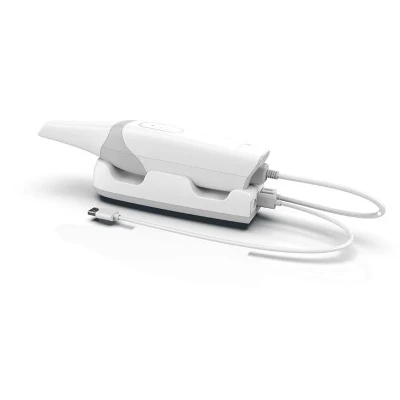
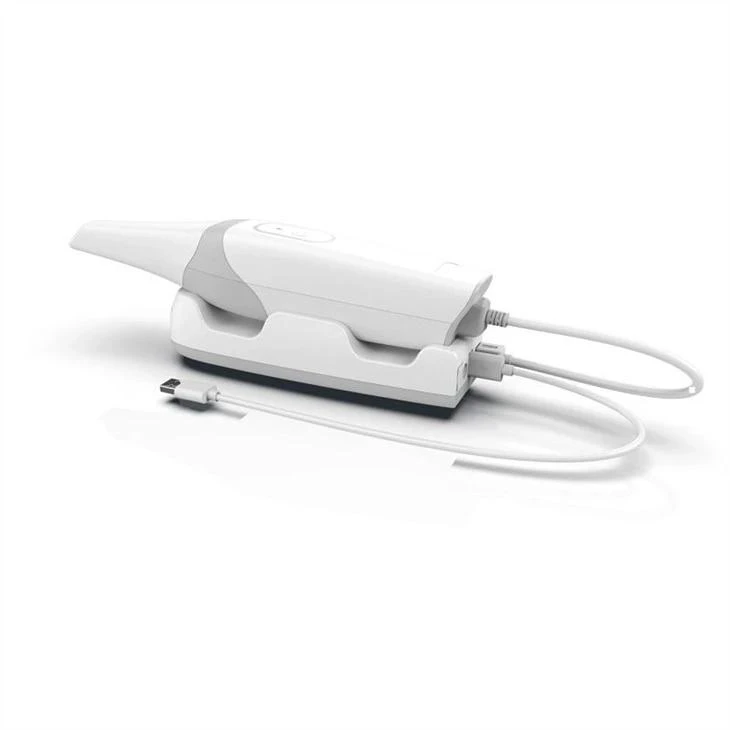
How Intraoral Scanners Export STL, PLY, and OBJ
Scanner output capability is not uniform across the market, and the format that intraoral scanners natively produce shapes what the lab can actually work with.
Table 2. Intraoral scanner export capabilities relevant to veneer workflows
|
Scanner |
STL Export |
PLY Export |
OBJ Export |
Color Data Retained |
|
3Shape TRIOS 5 |
Yes |
Yes |
No |
Yes (in PLY) |
|
3Shape TRIOS 3 |
Yes |
Yes |
No |
Yes (in PLY) |
|
iTero Element 5D Plus |
Yes |
Limited |
No |
Yes (via proprietary format) |
|
CEREC Primescan |
Yes |
No |
No |
No (geometry only) |
|
Medit i700 |
Yes |
Yes |
Yes |
Yes (in PLY and OBJ) |
Note: Export availability and retained data may vary with scanner software versions, licensing, export settings, and the receiving platform. Confirm current compatibility before submitting a case.
3Shape TRIOS is widely used in esthetic-focused practices and supports PLY color export. CEREC Primescan produces excellent geometry, but its color data may not transfer cleanly into open PLY workflows-clinics using Primescan for veneer cases should plan to supplement with separate clinical photographs. Medit i700 offers broad format flexibility, supporting all three formats with color retention in applicable export workflows.
The scanner your referring doctor uses determines what arrives at your lab door. When the doctor's scanner cannot export color PLY, no amount of lab-side software can recover color information that was never captured or included in the exported data.
Understanding the intraoral scan requirements for dental labs can also help clinicians prepare compatible, complete scan files before transferring veneer cases for production.
Recommended File Formats for Different Veneer Cases
Standard Veneer Cases (Single to Six Units)
Use STL. For straightforward anterior veneer cases where shade matching relies on a physical shade guide and clinical photographs, STL provides the CAD system with essential geometric data: surface geometry, preparation margins, and broad compatibility. The file moves through a typical dental CAD/CAM workflow without requiring color-data conversion, and STL is widely supported in dental manufacturing.
For geometry-focused restorations such as digital E.max veneers, adding color data to a case that will be characterized by hand staining may add complexity without changing the outcome.
Esthetic-Driven Veneer Cases (Full Smile, Multi-Shade)
Request PLY. When a case involves six or more veneers with varying shade requirements-cervical darkening on canines, incisal translucency on centrals, and characterizations that must blend across the entire smile design-color data becomes a working tool, not a luxury.
For highly aesthetic restorations such as E.max layered veneers for smile makeovers, PLY files let the technician assess shade transitions directly against the color scan rather than relying solely on a shade tab and a photo taken under unknown lighting. This is where the format investment can support more consistent aesthetic communication and help reduce avoidable remakes.
Digital Smile Design and Mock-Up Cases
Consider OBJ when the workflow includes digital smile design software that renders texture-mapped previews for patient presentation. The .mtl file carries material definitions that produce more convincing visual mock-ups than per-vertex color.
But confirm the receiving lab's software stack supports OBJ import with material references-some dental CAD platforms import OBJ geometry while dropping the .mtl or associated texture data, leaving you with a textureless model indistinguishable from a converted STL.
Lab-to-Clinic Communication
Send STL back to the clinic when the receiving software requires geometry-only data. When the lab returns a digital try-in or preview model for the doctor to evaluate fit and contour, STL is often the right choice.
Clinics reviewing geometry-based design previews need files they can open in compatible viewers, measure, and approve. A PLY file sent to a clinic whose software only reads STL is a file that gets bounced back.
For smooth veneer case submission and lab-to-clinic communication, both parties should confirm the accepted file format and the required supporting clinical information before beginning the digital design process.
Common Dental Scan File Problems and How to Avoid Them
Converting PLY to STL without checking color dependency. Labs that standardize on STL for internal workflow sometimes auto-convert incoming PLY files. If the technician downstream was relying on color data for shade mapping, that conversion silently removes the information mid-case. Establish a rule: PLY files entering the lab stay PLY until the technician explicitly confirms color data is not needed for that case.
Sending OBJ without the .mtl file. This is a common OBJ failure mode. The geometry arrives intact, but without the material library, the model may render as a flat gray mesh. When transmitting OBJ files, always zip the .obj and .mtl together, include any referenced texture images, and verify the receiving system unpacks them correctly.
Assuming all STL files are equivalent. A binary STL from one scanner and a binary STL from another can differ in triangle density, normal vector consistency, and manifold integrity. A veneer margin that scans cleanly at 20-micron resolution may arrive as a jagged edge if the source STL was exported at a coarse tessellation setting. When receiving STL from a new referral source, inspect the mesh quality on the preparation margin before committing to design.
Ignoring file size as a quality signal. An unusually small STL for a full-arch veneer case (under 5 MB) often means the scan was exported at reduced resolution-triangle density too low to capture fine margin detail. An unusually large PLY (over 100 MB for a single arch) may carry redundant color data that bogs down CAD software without adding usable information. Neither extreme serves the case well.
The format is not the workflow, but it constrains what the workflow can achieve. A lab that standardizes on STL and never asks for PLY is leaving esthetic data on the table that could reduce remakes and improve characterization. A lab that insists on OBJ for every case is adding file-management overhead for marginal gain.
Conclusion
For veneer cases, the STL vs PLY vs OBJ question has a practical answer: STL handles geometry reliably and offers broad compatibility, PLY preserves color data that can support esthetic veneer work, and OBJ serves a narrower but valuable purpose in texture-mapped smile design workflows.
The right choice depends on whether the case is shade-simple or shade-complex, what information the scanner captures, and which formats the receiving dental lab can use-not on which file format is technically superior.
If your lab is still receiving every case as STL and handling shade matching without available color information, you may be introducing unnecessary guesswork into the aesthetic workflow. Selecting the right dental scan file format, together with complete clinical references and clear communication, can support more predictable veneer fabrication.
ADS Dental Laboratory Ltd is a full-service digital dental laboratory based in Shenzhen, China, specializing in custom aesthetic veneers, CAD/CAM digital workflows, and long-term dental lab outsourcing for overseas dentists and dental laboratories. Contact our team to discuss your veneer cases, confirm compatible digital scan files, and explore a reliable outsourcing workflow tailored to your clinical and production requirements.
FAQ
Which File Format Is Best for Dental Veneers?
The best format depends on the clinical requirements and the receiving dental lab's CAD/CAM workflow. STL is usually sufficient for standard veneer cases where accurate geometry and separate shade references are available. PLY is useful for aesthetic veneer cases requiring additional color information, while OBJ is better suited to workflows involving texture-mapped digital smile design or visualization.
Does STL Support Tooth Color or Shade Information?
No. Standard STL files contain three-dimensional surface geometry but do not preserve tooth color, texture, or shade information. When submitting STL files for dental veneers, dentists should also provide appropriate clinical photographs, shade references, and restoration instructions to help the lab achieve the intended aesthetic result.
Is PLY Better Than STL for Dental Veneer Scans?
PLY can be more useful than STL when the intraoral scanner captures color information and the dental lab's software supports that data. However, PLY is not automatically more geometrically accurate than STL. Scan quality, preparation margin visibility, file export settings, and CAD/CAM compatibility remain important regardless of the format selected.
Can PLY Color Scans Replace Clinical Shade Photographs?
No. Although PLY can preserve color information from compatible intraoral scanners, the captured colors may be influenced by scanner technology, lighting conditions, and software processing. Clinical shade photographs, shade guide references, and stump shade information remain important for predictable ceramic veneer characterization.
What Files Should I Send to a Dental Lab for Veneer Cases?
For a typical digital veneer case, the dental lab generally needs the prepared arch scan, opposing arch scan, bite registration, and relevant restoration instructions. Depending on the case, additional information may include pre-operative scans, diagnostic wax-up references, shade photographs, stump shade information, and specific material or aesthetic requirements.
STL is commonly accepted, while PLY or OBJ may be useful when compatible color or texture data is required. Always confirm the receiving lab's supported intraoral scan file formats and submission requirements before transferring the case. For more practical guidance, learn how to submit a digital dental case to an overseas lab.